Posts

Showing posts with the label Relative

Position Property in CSS
Image
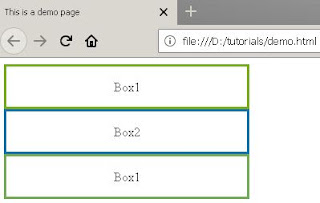
CSS  Layout - The Position  Property                              The  position  property specifies the type of positioning method used for an element . There are five different position values: static relative fixed absolute sticky Elements are then positioned using the top, bottom, left, and right properties. However, these properties will not work unless the  position  property is set first. They also work differently depending on the position value. position: static; HTML elements are by default positioned static. The static elements   are not affected by the top, bottom, left, and right properties. Here the div tags are placed in the HTML one after another. They stack up in order on the page, each one beneath the previous. It is always positioned according to the normal flow of the page. ...

Relative, Absolute Mixed References in Excel

Image
Relative , Absolute and Mixed   Cell References There are three types of cell references:  relative,    absolute and Mixed . All three behave differently when copied and filled to other cells. Relative references  change  when a formula is copied to another cell. Absolute references, on the other hand, remain  constant , no matter where they are copied and in mixed referencing either row or column changes. Relative references All cell references are  relative references by default . When copied across multiple cells, they change based on the relative position of rows and columns. For example, if you copy the formula  =A1+B1  from row 1 to row 2, the formula will become  =A2+B2.  Relative references are especially convenient whenever you need to  repeat  the same calculation across multiple rows or columns. To create and copy a formula using relative references: In the following example, we want to create ...